|
|
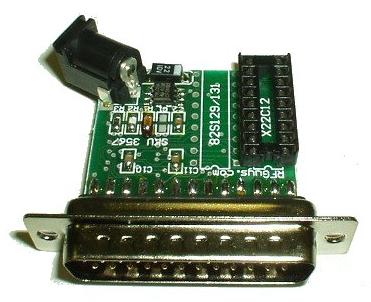
X2212 Programmer for GE/Ericsson RANGR/PHOENIX/DELTA RadiosOpinions by Jason Buchanan - N1SU |
All you need is:
Set your PC's parallel port BIOS settings to LPT1 EPP 378H IRQ7. The programer needs a 6V - 9V DC power source (note connector in upper left corner of the board) to read and write to the old X2212 chips. Be sure to test the voltage of your power supply before using it. Some wall-warts run high with little or no load, so just because it says it's rated at 6V doesn't mean it doesn't float at 18V!
I had problems at first getting the board to work but it was actually my power source for the board. You need to verify that the voltage to the board is between 6 and 9 volts or you will not be able to read your chip or write to it reliably. The tiny voltage regulator will get hot and burn up if you exceed 9 volts.
Changing frequencies in your GE Rangr or Delta has never been easier! Just install the DeltaPRG software, enter your frequency/PL data and you're all set! See the screenshot below:
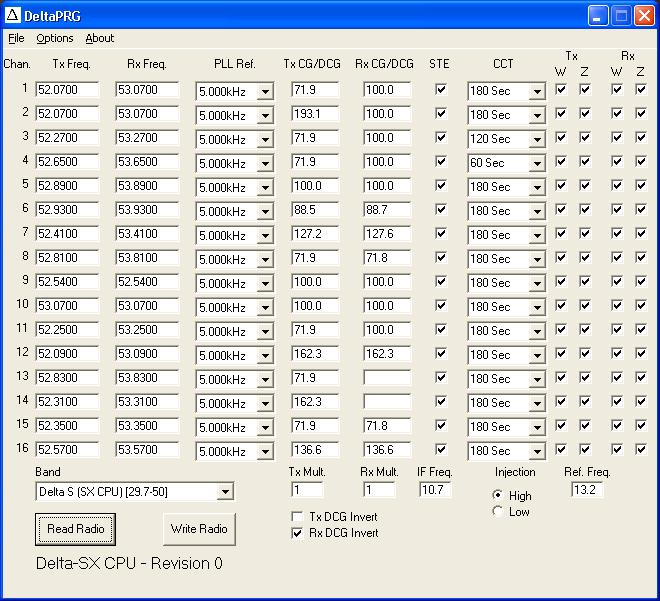
You may notice that the PL tone values in the screenshot are different than what you may expect (71.8 vs. 71.9) - read the documentation (especially the third paragraph under "Tx/RX CG/DCG") for an explanation why.
I would recommend reading the X2212 EEPROM from a known-good configuration and modifying the data you read from the chip so that you read in the appropriate settings and go from there. Then simply save the channel data and write the data using the RFGuys software for their programmer. It's easier than opening the radio and getting the chip out!
